Primal Leadership Book Review

Nine years later Primal Leadership still stands up as an interesting read on leadership strategies. My boss recommended it to me, part of the coaching strategy discussed below. Although this does not appear directly related to software, I believe that personal effectiveness and leadership skills are key. Soft skills translate into huge gains on software projects, business, and in life. Of all the factors on a project, one of the few things we can control 100% is how we interact with other people on that project.

Primal Leadership Review

Leadership styles (or lack thereof) are easy to recognize in others and self. Each strategy is like a tool in the toolbox, and they are called for at different times. Here they are from a software professional’s point of view:

The four positive styles of leadership:

  • Visionary – Set a positive direction for the team.
    • “We are going to change the world for the better!”, “In 10 years the world will look back and say how did we live without this?”, “When this refactor is complete, boy will department XYZ love us!”
    • The visionary style can be used incorrectly, for example: “I am going to get so rich off this”, “I want us to kill the competition”, “Company XYZ will be the best in the industry”. (These examples are bad because they start with ‘I’ instead of ‘we’, and lead to negatives like greed and arrogance).
  • Coaching – Mentor team members and connect their goals with the company’s.
    • Get to to know team members personally and encourage their learning and growth.
    • Powerful tool for loyalty and team spirit.
    • Allow team members to define their own goals.
  • Affiliative – Connect people to each other.
    • Involves team building, finding common ground, uniting individuals.
    • For leading software teams, which is like herding cats, I find this one exotic and hard to apply. Perhaps paired programming is one example?
  • Democratic – Get everyone’s input and make decisions together.
    • This is practically required in the software field when balancing priorities across stake holders, gathering requirements, and considering design approaches.
    • Leading group meetings is a chance to exercise this skill.
    • When done correctly, SCRUM planning meetings and stand-ups are democratic because everyone provides input.


The two styles of leadership that are negative and over used:

  • Pace Setter – Meet challenging goals through heroics.
    • Common in engineering disciplines like software development.
    • Often seen in start-ups and entrepreneurial activities.
    • Often leads to low quality output, and long term negative results.
    • Not effective or useful in large companies.
    • Can lead to burnout.
    • Some pace setting engineers who are promoted only to end up hating their management role. Quote from a friend: “If you are going to climb the corporate ladder, make sure it is leaning against the right building.”.
  • Command – Provide clear direction.
    • Useful in emergencies.
    • Can be close minded and abusive – eg my way or the highway.
    • Archaic 1960’s “command and control” mode of operation which worked in the industrial era.
    • Stifles creative thinking and culture of information sharing and trust.

The middle part of the book talks about how to create a holistic life plan for improving leadership and happiness. I was encouraged to read that these leadership skills are learned by practicing them. I found the last section on executive level techniques for running large organizations was boring.  The book is full of praise for the ideas but does not explain why so many companies with bad managers seem to succeed left and right.

The author, Daniel Goleman’s original breakthrough book is called Emotional Intelligence, published in 1995. Several years ago I read that book. Reading Primal Leadership has inspired me to reread Emotional Intelligence and write a review about it.


Posted in Book Reviews | Tagged , | Comments Off on Primal Leadership Book Review

Workstation Screens and Comfort

I started with one screen, spiked up to 4, and now generally use two.  More screens add to developer productivity, but I found there is a limit my mind can handle. If I need to write code, refresh a browser, and tail output, three screens works well. I have found that most of the time, two screens is fine, and that is my current sweet spot. With three screens, if I leave my email client open, new messages interrupt my train of thought. With four screens there is just too much to look at.  I had a need to fill an empty screen with something, anything, even if it was useless and distracting. It depends on the role though. If I were a day trader or worked in a NOC, I’d want as many TV sized screens as they would buy me.

More important than screens in my opinion is ergonomics.  I make sure to setup my chair so my neck and back are set correctly and my wrists are comfortable.  Most furniture out there is junk and should not be used for a typical 8-12 hour computer work day.  The wrist pad for my mouse in invaluable and I carry a portable one in my laptop bag.  Taking physical breaks is important.  I tend to pace around a lot when I’m chewing through a problem, but at times I do have to remind myself to get up and look outside. Coding is so fun, who wants to go afk?

When a chair stars to give me a pain in my neck or back, I immediately go and get a new one. I’ve learned not to fight a bad chair, since a stiff neck really sucks. Most chairs last a couple years, and you get what you pay for.

Let’s take a stroll down memory lane.

I started with one clunky CRT. Reason, these things were spendy! One VGA output was all my computer could handle anyway.
crt desktop

(Approximately 2002)

In 2004 I proudly upgraded to dual 17″ LCD Dell Ultrasharps, they were $300 each.

dual LCD Dell Ultrasharps

(Dual monitors in 2004!)

Shortly after I got dual monitors at home, I convinced my work place to upgrade everybody. Those were good times.

Desk with 3 monitors plus laptop

(Three monitors in 2006, plus a testing laptop.)

Then I started getting aggressive about this. More is always better right? Not necessarily. The 4 screen phase only lasted a short time.

Four screens on desk

(2006 – Four screens, too much to keep track of for me. The CRT went to Goodwill.)

At work around 2007, I went back to two screens by my own choice, and today I still use just two.

back to two screen plus laptop

2011 workstation setup
(2011- Modern day setup)

The big investment I made lately is in the chair. It is a Serta – “multifunction manager’s chair”.  It was the most expensive computer chair at Office Max.  I can work for long periods without any trouble.  I’m still rocking the ergo keyboard too.

Posted in Fun Nerdy, Work | Tagged , | Comments Off on Workstation Screens and Comfort

Thoughts on MongoDB

I introduced MongoDB to a colleague today (version 1.8.1 to be exact). He comes from a RDBMS, 3rd normal form, relational background. Here’s what he said. Keep in mind, we have a healthy humor level going at the office. I love it!

“Mongo is like taking a kid from a Jehovah’s Witness upbringing, driving them to the candy store and telling them, they can have anything they want in the entire store, and as much as they want, then after an hour or so of unfettered access to candy, giving them a hand gun and a chainsaw.”

Mongo DB Logo

We are using Django and Postgres on a new project.  Up until recently, we were working towards a fully normalized database for our 1.0 release.   In the first month we passed fifty tables. I told the project owner, we’d probably hit four hundred tables by the time all features of the system are completely done in three years.  Note that we had 50 tables, but only 2 or 3 working UI elements, and nothing to launch.  That bugged me on a project level. On a technical level, do you think Django can handle 400 tables?  It might take some segmentation, perhaps a server with tons of RAM, maybe even some hacking of the framework?  It just stopped feeling right, so I started looking for something better.  Maybe it wasn’t Django, maybe it was the fact that a lot of what we are trying to model at this stage revolves around user generated content.  It is almost impossible to predict everything we need to store for the life of the project.  This kind of problem, as it turns out, is a good fit for NoSQL, or non-relational data stores. Here are some of my initial take aways:

What to store in MongoDB:

  • Loosely structured content.
  • Archival / historical data.
  • Logging data and non-critical events.
  • Data models that we know will change a lot, but want to get up and running. We can always port them to the RDBMS if we need to, after we figure out what the best approach is.  Maybe they will stay in MongoDB for ever and ever?

We will likely store a handle to the MongDB document id (eg “_id” : ObjectId(“4dbf132825fe7d20c1000000”)), inside the relational database in some cases for direct retrieval.

What you loose with MongoDB:

  • Support for the Django Admin tool.  This is a major drawback to consider. I really love Django Admin and what it gives to our team, especially the content folks who can get in and easily make changes and manage records.  You’re on your own for CRUD (create, retrieve, update, delete).  Wait a year and there will be 5 options – mark my words!!!

    Update 7/12/2011 –
    A reader reported to me about django-mongodb an django admin interface for mongodb. I need to try it out.

    Update 7/22/2011 – I looked into django-mongodb, it requires a) Django-nonrel, “a fork of Django 1.3 that adds support for non-relational databases”, and b) djangotoolbox “a bunch of utilities for non-relational Django applications and backends”.   The ultimate goal of Django-nonrel is to merge with the official Django tree. When that happens there will be much rejoicing! Until then, it is doable to combine Django and MongoDb, but it is early stage technology that is moving fast.  Make sure it is the right fit for your project first.

  • Referential integrity.  There is no concept of a foreign key. Anything goes inside MongoDB, it will gladly create new collections (like tables), and document fields (like columns) as you ask it to.
  • Joins.
  • Triggers and stored procedures. You can craft JavaScript and have MongoDB run that – pretty cool idea actually and it is how map/reduce works.
  • Standard RDBMS security model. Security is basic in MongoDB, and as it stands you have to run it in trusted mode when sharding. From the docs page “Trusted environment is the default option and is recommended.” – wow, so firewall it off with iptables and harden your application layer I guess?
What NOT to store in MongoDB:
  • Data where the relationship to other records is most of the value – eg, a many-to-many relationship would be really hard to get working in MongoDB.  It is doable and it works for some people.  However, MongoDB isn’t geared towards relational data, so that tells me not to do relational data with it!
  • Anything that needs to be transactional in nature.
  • For now, financial data, transporter patterns, anything that *has* to be there.

More on this topic in the future. MongoDB appears to have an excellent trajectory. Its creators will likely have a place in the geek hall of fame.  It is really fun to work with too.

Posted in Application Development, Data | Tagged | Comments Off on Thoughts on MongoDB

Geekonomics – Software that kills

I just finished reading the book Geekonomics  – the real cost of insecure software. The book sums up commercial software development from a business perspective succinctly:

“Don’t worry, be crappy.”


Geekonomics

http://www.geekonomicsbook.com/

It is a pretty interesting topic – and should be required for any software professional, especially managers! The author tends to hammer home the same point over and over by comparing the software industry to the auto industry. There is a lot of legal information in the book toward the end. I skimmed the parts that got boring or that I already knew about (like the rise of open source software).

The part about the Therac-25 XRay machine that killed several people due to a software defect is chilling (http://en.wikipedia.org/wiki/Therac-25).  I remember being told this story in my first software class in college. It is surprising how few people know of this event.  Try/catch block anybody? Defensive programming anybody?  The Therac-25 has a downright bazaar UI as you can see in the wiki article.  The teacher said the corporate veil was pierced and the developers were charged criminally with manslaughter – I can’t seem to find anything about this though today.

The book talks about hacking and how prolific it is.  The idea of a ‘dragon’ hacker who has 100’s of zero day exploits at their disposal is brought up. These are the scary ones that you never see.  It is true, the best hackers will never let you know they own your machine. Only the idiots deface a site with their call sign or leave any trace.

Key points from the book:

  • We are all crash test dummies in the information age. Identity theft is on the rise, and systems are getting less secure, not more secure.
  • Software is still akin to artisan or craftsmen level quality.
  • Software defects in medical devices and airplanes have caused deaths.  More and more devices are being built to operate by wire – like automobiles.
  • It is very hard to regulate software production. The US government wants to stay out of the way to keep the momentum going. In honesty that is probably the lesser of two evils.
  • The legal precedent for software makers is to claim no responsibility for defects – THIS SOFTWARE IS PROVIDED “AS IS” WITHOUT WARRANTY OF ANY KIND, EITHER EXPRESSED OR IMPLIED….  In other words, if it breaks, tough luck.  It is up to the user to pay for anti-virus, firewalls, and keep the program up to date.
  • Software makers need defects in their current build so users will have an incentive to upgrade. Otherwise they put themselves out of business.
  • More features = more bugs, but the market seems to want more features, even if they don’t use them.  * My note: This is changing however, by companies like 37Signals which release software that has LESS features on purpose.
  • Standardization is needed in terms of ‘engineering’ practices, but may be decades out.
  • Users foot the cost of applying patches, not the software maker.

I know developers have good intentions and want to make the very best software they can.  There are some problems that get in the way of this:

  1. Businesses have no incentive to be perfect. In fact, being perfect would be stupid.  Businesses want to ship the product and start making profit.
  2. Current programming languages are still full of pitfalls. When C++ was first described to me, the man said it was enough rope to hang yourself 3.5 times. This is true in any language, for any junior programmer, and some senior people never get it.   The vast majority of code is written in non-deterministic languages (C++, Java, C#), which have quirks when multi-theading. Only functional languages stand up to multi-threaded execution- the key to harnessing multi-core processor architectures.
  3. The complexity of dependencies between software systems is just nuts. DLL hell is a thing of the past. Still when it comes to a specific app stack and all the parts that go into it (some perhaps open source?), who knows what will happen when someone half way across the world commits something?
  4. Let’s not even discuss outsourcing and security.

Awareness of the issues is my only antidote for now.  I do my best to bring up these issues to management and make sure they are clear on the situation.  Suggestion: frame the situation as an opportunity. The cure is a long time coming and who knows what the catalyst will be?

Posted in Book Reviews, Business | Tagged , , | Comments Off on Geekonomics – Software that kills

Office Dungeon

This was a reality for me and a co-worker for over one year. Note the plunger and the chains on the walls. This was more of a ‘lab’, my desk was outside this room, but we used to lovingly refer to this as the dungeon. In actuality these were awesome times. We got so much stuff done, and we joked about this room.  The building was an animal research facility turned cheap rent for a startup company.

Software startup office conditions

Does it remind you of a holding cell? No one was allowed to shut the door when someone was inside.

Software startup office wall

Watch out for shocks.

Software startup office floor


Posted in Work | Tagged , , | Comments Off on Office Dungeon

GnuPG – HowTo, Tutorial, Notes

Basic GnuPG instructions, create and backup keys, encryption and decryption of files.

This GnuPG tutorial covers installing and running the basics of GnuPG: encrypt, decrypt, create and export or backup your public and private keys.  It is geared for a single user where encryption is used as part of a data backup/transmission strategy.  This tutorial is command line based,and works on *nix/Windows. The commands are basic enough that a GUI is not needed. To handle multiple files first create a tar/zip archive and then encrypt that.

This tutorial does not cover how to securely share keys between multiple people you may not trust.  It also does not cover the different types of keys you can choose from, and only uses the default setting (which is designed to be quite secure).  Using encryption suggests a basic level of paranoia, but there are much higher levels this tutorial does not delve into.  If you want to get paranoid, I hear there are certain herbs that do that.

For more in-depth use, see: web of trust, finger prints, key validation, and signing.

Steps in this tutorial:

  1. Install GnuPG
  2. Create the public and private keys
  3. Backup and move the keys to other machines where encryption/decryption will also take place
  4. Encrypt/decrypt files
  5. Symmetric keys – an easier but less secure route

GnuPG Install:

GnuPG (1.4.11) – https://www.gnupg.org/

Windows:

Download the binary for windows.

Install under C:\GnuPG
Add C:\GnuPG to $PATH
Right click My Computer, select Properties
Select Advanced Tab, click ‘Environmental Variables’ button
Choose the PATH variable, click the Edit button,
adding “;C:\GnuPG\” to the end of the Variable value line
Hit OK, OK

To test the install, open a command prompt (start->run, type ‘cmd’), then at the DOS looking prompt type ‘gpg –help’, you should get something.

Unix/Linux:

Check that it is already installed? ($ ‘which gpg’)
It is a common package to many distributions.  There’s probably a yum or apt for it:
$ apt-get install gpg
$ yum install gpg

You can also Download the source and compile it.

$ tar xfvz ./gnupg-1.4.11.tar.gz
$ cd ./gnupg-1.4.11
$ ./configure
$ make
$ sudo make install

Add /GnuPG to PATH if it does not automatically appear
($ ‘which gpg’ should give you something)

Create a new set of public/private keys:

$ gpg --gen-key
#Select the following:
Key type: (1) DSA and Elgamal
Key size: 2048 bits
Expiration: never expires
real name: JohnDoe  [Key owner name here]
email: johndoe@server.com
comment:
select (o) for okay to continue
pass phrase: {enter passphrase - make it complex}

(keep your passphrase somewhere safe, like KeePass)

The command will generate key files under:
(Windows C:\Documents and Settings\[current user]\Application Data\gnupg)
(Unix ~/.gnupg/)

pubring.gpg – the public key

To send files to JohnDoe that only JohnDoe can decrypt, the sender needs this file.

secring.gpg – the public key

To decrypt files created by the JohnDoe public key, the private key plus the pass phrase are needed.

Export/import the PUBLIC key

The public key is needed to encrypt files to be sent to this user. So, if someone wants to send John Doe a file, that is encrypted for his key, they need this file.

machine 1>gpg --armor --output JohnDoe_PUBLIC.gpg
      --export johndoe@server.com

Now, copy JohnDoe_PUBLIC.gpg from machine1 to machine2.

Import, and elevate to a trusted key:

machine 2>gpg --armor --import JohnDoe_PUBLIC.gpg
machine 2>gpg --edit-key johndoe@server.com
machine 2> Command> trust
(upgrade to highest level of trust)
machine 2> Command> q
machine 2>gpg --list-keys


Export/import the private key

Here we will move the key created to a second machine, which will be able to decrypt John Doe’s data.

machine 1>gpg --armor --output JohnDoe_PRIVATE.gpg 
    --export-secret-keys johndoe@server.com

Copy JohnDoe_PRIVATE.gpg from machine1 to machine2.
If you loose JohnDoe_PRIVATE.gpg, there is no way to decrypt!

machine 2>gpg --armor --import JohnDoe_PRIVATE.gpg
machine 2>gpg --list-secret-keys

Now machine2 can decrypt anything to johndoe@server.com, but machine2 user must still have the pass phrase.

Encrypt/Decrypt using KEYS

Encrypt a file, which can only be opened by the user we created:

$ gpg --recipient johndoe@server.com --encrypt testfile.txt
(makes testfile.txt.gpg)

If you add –sign it will ask for the private key’s pass phrase, and the file will contain a signature which prevents tampering, but can’t be ran automated. Recipients can then check the signature for validity before they open it (maximum paranoia).

Decrypt the file using private key and pass phrase:

$ gpg --recipient johndoe@server.com --output decrypted.txt
            --decrypt testfile.txt.gpg

Encrypt/Decrypt using Symmetric Ciphers

This style of encryption is simple. There are no public/private keys involved here. The pass phrase used to encrypt is the pass phrase needed to decrypt. You cannot use this method in an automated process unless you want to store the pass phrase in clear text (that’s a no no!).

$ gpg --symmetric test_sym.txt
Enter pass phrase: 123456789a
(makes test_sym.txt.gpg)

To decrypt the file that was encrypted using symmetric ciphers:

$ gpg --output test_sym_decrypted.txt --decrypt test_sym.txt.gpg
Posted in Sys Admin | Tagged , , | Comments Off on GnuPG – HowTo, Tutorial, Notes

Its Over Flash, HTML5 Has Won

Work ordered me what I think will be my last copy of Adobe Flash ever. My first swf compilation was in 1999 I believe? I must have had 6-8 copies of Flash purchased for me by my employers over the years. There was Flash 4, 5, MX, MX 2004, Flash 8, CS3, CS4, and CS5! Hats off to Macromedia / Adobe for forcing us to upgrade.

Flash logo

Seriously though, I do think Adobe Flash CS5 will be my last copy.  It is too bad because ActionScript 3.0 made some nice advances.

Reason 0: Apple.
It is old news that Apple is putting pressure on Adobe by blocking Flash from iOS.

Reason 1: Flash just wasn’t architected for mobile devices.
Flash drags down Android devices. Maybe Adobe can refactor their code so it performs a little better.  WebKit has a 3-4 year lead in terms of fine tuning an engine that runs well on mobile devices.  Flash will need a re-write from the ground up to stay competitive. Is it too late?

Reason 2: HTML5 and the SVG canvas.
Flash used to be one of the best ways to get interactive charts, make web based games, and add sparkle in browser. Now there are countless games in HTML5. Many classics have already been ported to HTML5 like Pacman and Wolfenstein 3D.

http://html5games.com/

There is serious work taking place on JavaScript charting frameworks.  I’m impressed with the potential here for cross platform code that has business value.

Protovis
http://vis.stanford.edu/protovis/

protovis logo

JavaScript InfoVis Toolkit
http://thejit.org/demos/
JavaScript InfoVis Toolkit


Reason 3: HTML5 Audio and Video elements.
If anything Flash is still the best multimedia plugin out there with 99% market penetration. However, having it as a prerequisite for online multimedia is changing. What will be really cool about the HTML5 Audio and Video elements is the DOM integration.  The new bag of tricks includes playback events, visual overlays, and image processing.  For more details check out:  http://www.html5rocks.com/tutorials/video/basics/

Why I might be wrong:
Flash has the ability to record audio and video in a browser when connected to Flash Media Server.  With great insight, Macromedia released these features in July of 2002 with Flash Communication Server, now called Flash Media Server.  This is one stronghold for Flash that Adobe should be paying attention to.  Java Applets and ActiveX can do this too, but not as smoothly in terms of cross browser compatibility and performance.

As for HTML5 supporting recording, it will take time for browsers to catch up. Inherently, browsers are sandboxed off from the operating system and not supposed to interact with system devices like the camera or microphone.  It would be  AWESOME to interact with USB, Serial, camera, or other devices through JavaScript.   Mobile devices are making leaps and bounds, but through their own proprietary APIs.

There are some working ideas out there for HTML5 Media Capture:
http://www.w3.org/TR/capture-api/

Flash will still be around for a long time, but it is quickly becoming legacy. There will be many good reasons to recompile swfs, fix bugs, and maybe even extend a few features.  I can’t see good reasons to invest in it for the long term though.


Posted in Application Development, Business, Code | Tagged , , | Comments Off on Its Over Flash, HTML5 Has Won

Some good quotes

The big question is whether you are going to be able to say a hearty yes to your adventure.
– Joseph Campbell

An investment in knowledge pays the best interest.
– Benjamin Franklin

Neither a lofty degree of intelligence nor imagination nor both together go to the making of genius. Love, love, love, that is the soul of genius.
– Wolfgang A. Mozart

Any fool can make things bigger, more complex, and more violent. It takes a touch of genius-and a lot of courage-to move in the opposite direction.
– Albert Einstein

Few things are harder to put up with than the annoyance of a good example.
-Mark Twain

Never trust a computer you can’t throw out a window.
– Steve Wozniak

Quotes from Fictional Characters:

To be one’s self is a rare thing and a great one. To be one’s self forever: is that not better still?
– Ged – from the Earthsea Trilogy by Ursula K. Le Guin
(My interpretation: To know yourself is good. To be yourself is even better.)

To see a candel’s light, one must take it into a dark place.
– Ged – from the Earthsea Trilogy by Ursula K. Le Guin

Posted in Fun Nerdy | Comments Off on Some good quotes

Command Line SSH Tunnel Port Forwarding

Tutorial on command line SSH tunneling, port forwarding. How to setup an SSH tunnel using bash scripting.

SSH port forwarding (aka tunneling) is useful for getting into remote systems securely. If you need to access a database server, source repository, or other service that is blocked off by a firewall (except for ssh), a tunnel will let you access as them if you are on the local network.  The traffic between your machine and the server runs over the encrypted SSH connection.

SSH GUI based clients have control panels that allow you to setup tunnels. Sometimes, it is necessary to automate such a task on the shell level.

#using the command line only, open ssh tunnel to mysql database
$ ssh -l youruser yourhost.com -p 22 -N -f -C -L 3306:yourdbserver.com:3306

Now when you connect to localhost:3306 for MySQL, you are actually connecting to the remote database server. If you are running MySQL on your local machine as well, then select another open local port (eg, 3307:yourdbserver.com:3306), then connect to localhost:3307 to use the tunnel.

Argument summary:

  • -l login name
  • -p remote host port (It is best to connect to ssh on something other than the default port to shake off automated attacks. Change sshd.conf and/or the port mapping on your firewall. For example :2210 external maps to :22 internal for your ssh boxes that are allowed to accept outside connections.)
  • -N do not execute a remote command
  • -f requests SSH to go to background
  • -L port:host:hostport (port = local port, host and hostport are where you want the tunnel to point to. This does not have to be the box you are ssh-ing to!)
  • -C compression – optional

The command will ask for a password after it is executed. Then it will go into the background, running as a system process. To make this run unattended, such as in a nightly cron script, use ssh-keygen to setup trusted authentication between the local and remote host.

How to tell if the tunnel is working:

#check for ssh process with the parameters specified above
$ ps aux | grep ssh
#or, try to talk to it
$ telnet localhost 3306

When you are done with the tunnel and want to shut if off:

#find the tunnel that was setup on port 3306 and shut it down
#alter "3306:" to match the local port tunnel to shut off
ps -fU root -C ssh | grep "ssh -l" | grep "3306:" | awk '{print $2}' | xargs kill
Posted in Sys Admin | Tagged , , | Comments Off on Command Line SSH Tunnel Port Forwarding

The Passionate Programmer

The Passionate Programmer Book Review
Creating a Remarkable Career in Software Development, by Chad Fowler – Published 2009
Revised and updated second edition of “My Job Went to India: 52 Ways To Save Your Job”

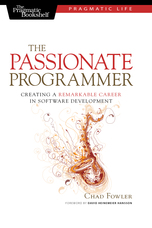
The Passionate Programmer book cover

This is a great book along the same lines as The Pragmatic Programmer, by Chad Folwer (no relation to Martin Fowler). The book takes us through 53 ways of looking at ourselves and how we relate to the profession of programming.  I found the ‘Act On It!’ section at the end of each mini-chapter inspiring.  The book challenged some of my thoughts and was like a pat on the back for the things I am doing right. Any skill level programmer, developer, architect, manager can benefit from this book.

Managers and entrepreneurs in particular may learn important insights into what makes programmers tick, how to hire good ones, and how to lead a team to success.

This book does not contain a lot of code. In fact, it isn’t about code, its about life. It is also about how to get more in touch with the business side of technology. I find being in touch with the business a good thing to make a habit.

Some ideas from the book:

  • Sunset technology (like Cobol, or the next Cobol) can be profitable, if you know how to convert away from it onto modern platforms.
  • The book advocates being the worst member of a band in order to learn from the other performers. This translates into seeking out experienced friends, or an experienced team to work with. Such ‘jam sessions’ lead to rapid XP gains.
  • Don’t put all your eggs into one basket – investing narrowly in a technology, particularly one made by a corporation, is not a good bet.
  • Practice coding like practicing an instrument.
  • Good programmers have lots of unfinished projects in their home folder.  I like it! Now I value cleanliness of my home folder a little less, which is okay.
  • Have a mentor and be a mentor.
  • Codebase – make it at least a little better everyday. Don’t make it worse.
  • Watch the alpha geeks.
  • Beware of being blinded by your own success.
  • Invest in both low risk technologies (java – the family station wagon), and high risk exotic languages (python – the sleek sexy import).
  • Too often fear drives choices in a career – what would it be like if fear was not a factor?
  • During lunch breaks or space out time, google tips on ‘language x’ instead of surfing useless news and joke sites.
  • Keep a journal on excitement level about work.
Posted in Book Reviews | Tagged , | Comments Off on The Passionate Programmer