Responsive Design Theme Implemented

New blog theme was launched tonight!

The theme name is Brunelleschi, by Kit MacAllister.  He’s also from Portland.

Here’s what I love about the theme – it uses Responsive Design.

For a demonstration of what Responsive Design is, try re-sizing this browser window, or loading it with your phone or tablet. Notice how the site manages to compensate for whatever width it is being rendered at.   This is completely CSS driven, using the new HTML5 CSS3 standard called media queries.  These allow the CSS to understand the current page width and apply styles accordingly.  From a programming perspective, it is like having an {if/then} statement right there in the CSS.  I have to say, I’m hooked on this technology!  The media query standard took a lot of foresight from its creators and solves a difficult problem quite elegantly.

From an application architecture standpoint costs go down and productivity goes up. A web application can use one set of markup and work on just about any modern web enabled device (phones, tablets, and desktops).  Note I said modern device.  IE6 is out, but its market share is dwindling which means it is getting harder to make the old tired argument – “but we need to support IE6…”.  In quick testing it seems to work okay with IE7 and IE8 (simulated through IE9).

 Some examples of Responsive CSS code that help make this possible:

/* Set it up so images do not over flow their container */
img {
  max-width: 100%;
  height: auto;
}

/* When the width is below 767, adjust the right hand bar to
 *  drop below, instead of float right. */
@media handheld, only screen and (max-width: 767px) {
  .widget-area {
     width: auto;
     float: none;
     margin-left: 0px;
     margin-right: 0px;
     padding-left: 20px;
     padding-right: 20px;
   }
}


Links on Responsive Design:

http://webdesignerwall.com/tutorials/responsive-design-with-css3-media-queries (good introduction to the technology)

http://css-tricks.com/responsive-data-tables/  (for handling <table> rendering on phone size screens)

http://getskeleton.com/ (framework)

http://lessframework.com/ (framework)

Personally I would play with the CSS first before delving into a framework. Media queries are super simple to work with and don’t require much to get going.  Introducing them into an existing site is another story…


Posted in Application Development, Code | Tagged , , | Comments Off on Responsive Design Theme Implemented

JavaScript the Good Parts – Review

First, let’s start with a little joke about JavaScript:

JavaScript good vs evil

See the difference?


This book is targeted at helping readers understand the ‘low level’ implementation details of JavaScript.

The code examples on nuances of the language are the best I have found. As a primer, check out Douglas Crockford’s website, which has a lot of the same information in the book.

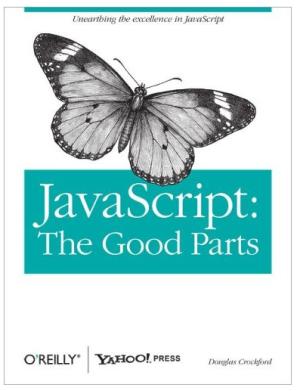
JavaScript the good parts

The book itself is only about 100 pages. 20% of that is filled with train track diagrams that explain the syntax of JavaScript graphically – not that useful to me personally. There is a good chapter on RegEx (which is more about understanding RegEx than JavaScript). The book is more in depth than his website, but still paper thin relative to a C++ or Java tome. I would have liked to see more examples and the way he might approach setting up a library or a small app.

JavaScript sucks right? It was built for Netscape 2.0.
The only language worse than JavaScript is Action Script 2.0, right??

I think not.

JavaScript is a critical language for the next decade. The forces driving this include:

  • Apple and Google are pushing hard on JavaScript. So is Microsoft with their HTML5 based Windows8.
  • Mobile Browsers – why build a native app when you can get 80-90% of the functionality out of a mobile web app? Marketing firms are asking this question, and opting for mobile web apps vs native apps because in many cases it is more practical. Sure, native apps still rock and are required for many use cases. However, organizations won’t be building multiple native apps targeting Android and iOS, when they can just build one mobile web app that gets the job done.
  • Node.js is to JavaScript what Ruby on Rails was to Ruby back in 2005. We’ll continue to see rapid growth in the Node.js area.

The book points out that to master JavaScript, we must be aware of certain pitfalls:

  • Relies on global variables.
  • ‘+’ is used to add, or to concatenate strings.
  • All variables declared in a function are global to that function – no block scope.
  • Falsy and Truthy are hard to follow when comparing different types. Best to use === and !== which compare on type and value, instead of == and != which compare on value through a type cast if necessary.
  • Functions are redefined at runtime at the top of their scope (eg, a function can be called above its declaration).
  • (list truncated)

The biggest thing I got out of the book, something that every JavaScript programmer needs to know, is the behavior of the ‘new’ keyword:

The behavior the ‘new’ keyword is convoluted and non-obvious. When an object/function is created, adding the new keyword changes the meaning of ‘this’. When ‘new’ is added, ‘this’ refers to the object, which makes sense. However in the next code block, where ‘new’ is omitted, ‘this’ refers to the global Window object! The code example shows how the global object can be polluted. Watch out for ‘this’.

// setup our example function
var Example = function(name) {
	var self = this;
	self.name = name;
	return {
		getName: function () {
			return self.name;
		}
	};
};

// check our Window's name, which should start off blank
console.log("Window's name is: " + window.name);
// -> Window's name is:

// using new keyword
var thisIsSafe = new Example('Safe!');
console.log("thisIsSafe name: " + thisIsSafe.getName());
// -> thisIsSafe name: Safe!

// let's check our Window's name again, should still be blank
console.log("Window's name is: " + window.name);
// -> Window's name is:

// without new keyword
var thisIsBad = Example('Bad!!!');
console.log("thisIsBad name: " + thisIsBad.getName());
// -> thisIsBad name:  Bad!!!
console.log("Window's name is now: " + window.name);
// -> Window's name is now: Bad!!!
// We just polluted the global 'window' variable.
// oh no!!! get away from the fuel tanks!!!


Quick JavaScript Tip:

  • CTL+SHIFT+J in Chrome is my friend – brings up the JavaScript console.
  • CTL+SHIFT+J in Firefox brings up the JavaScript error console as well, but it is not as handy as Chrome’s.
Posted in Book Reviews | Tagged , , | Comments Off on JavaScript the Good Parts – Review

PHP Fat-Free Routing Examples

The PHP Fat-Free framework is the best library I have found in the PHP world for SEO friendly URL routes (eg, /people/{some_username}). It is simple, flexible, and gets the job done with only a 58KB footprint! This can be thought of as the ‘C’ in MVC, for controller, which handles incoming requests and provides the glue between the model and the view. With Fat-Free all the ‘configuration’ is done directly in PHP code. Some might think that a lack of external configuration is a downside. I would agree with that for large scale enterprise type projects. However, for the kind of projects I use with Fatfree (and LAMP stack in general), I absolutely love the simplicity it offers.

To set up Fat-Free routes in Apache, first configure your .htaccess file:

RewriteEngine On
RewriteBase /
RewriteCond %{REQUEST_FILENAME} !-f
RewriteCond %{REQUEST_FILENAME} !-d
RewriteRule .* index.php [L,QSA]

 
This tells Apache to send all requests into the app (which lives at ‘/’) through index.php (unless the file or directory that corresponds to the requested location exists on the file system). This way CSS, images, javascript files, or whatever else we want to serve will be handled directly by Apache, bypassing Fat-Free.

The next step is to setup index.php that includes Fat-Free and defines a route:

require_once "fatfree/base.php";   //Fat-free
F3::set('DEBUG', 3); // debug is good for dev, not for live

F3::route('GET /example/@name', function() {
	F3::set("pageTitle", "First try at Fatfree");
	echo F3::render('templates/example.php');
});

F3::run();  // kick off Fat-Free routing

 
This route specifies that GET requests to /example/{some string} will be sent to example.php. Go ahead and make the file templates/example.php, and put some great content into it.

Access the pageTitle variable like so:

echo F3::get("pageTitle");

 
Access the value of @name with:

echo F3::resolve('{{@PARAMS.name}}');

 
It is very smart to go with a layout for your site. Fat-Free lets us chain templates. To add a header and footer:

F3::route('GET /example/@name', function() {
	F3::set("pageTitle", "First try at Fatfree");
	echo F3::render('templates/header.php');
	echo F3::render('templates/example.php');
	echo F3::render('templates/footer.php');
});

// if you don't need pageTitle, you can do this as:
F3::route('GET /example/@page','templates/header.php; templates/example.php; templates/footer.php');

 
The nice thing about Fat-Free is, each file is executed it its own sandbox. To share variables between templates you can use PHP globals (just make sure to use them wisely).
 
To respond to a POST event on the example page, just create another route:

// here is our route from the last example
F3::route('GET /example/@name', function() {
	F3::set("pageTitle", "First try at Fatfree");
	echo F3::render('templates/header.php');
	echo F3::render('templates/example.php');
	echo F3::render('templates/footer.php');
});

// now we'll do a POST that does some processing magic
F3::route('POST /example/@name', function() {
	F3::set("pageTitle", "First try at Fatfree");
	include("actions/example_post_logic.php");
	echo F3::render('templates/header.php');
	echo F3::render('templates/example.php');
	echo F3::render('templates/footer.php');
});

 
This way the routing configuration is controlling when to pull in the logic that handles the POST operation. This very cleanly breaks out the relative concerns into multiple files, without the overhead of a bloated MVC framework.
 
This tutorial should be enough to wet your appetite. Click here for the official documentation with more examples. There are several additional things Fat-Free does as well, including: dependency auto loading, templating, form handling, ORM, etc.

Things to be aware of about Fat-Free’s routing framework:

  • Given that the routing is setup as a PHP file, eventually a site will get large enough to warrant breaking it up into smaller subsets.
  • There is some repetition when defining the templates, especially the way I have been doing it here with GET and POST.
  • Error handling takes some work to setup. I will do another post on how I approach that.
  • Fat-Free is dual licensed as GPL and commercial friendly for a donation. Just be aware of that, and buy a license if you need it.
Posted in Application Development | Tagged , | Comments Off on PHP Fat-Free Routing Examples

Does 0.999… Equal 1 ?

For those who want immediate gratification, YES, 0.999… = 1

The dot dot dot (…) means 9’s repeating infinitely, past 2012, past the end of time, FOREVER. That is a lot of nines. It can also be written with a bar over the 9, as 0.9.

So what is going on here with 0.999…

  • 0.9 != 1
  • 0.9999 != 1
  • 0.9999999 != 1
  • 0.9999999999 != 1
  • 0. 9999999999999 != 1
  • 0. 9999999999999999 != 1
  • 0. 9999999999999999999 != 1
  • 0. 9999999999999999999999 != 1
  • 0. 9999999999999999999999999 != 1
  • 0. 9999999999999999999999999999 != 1
  • 0. 9999999999999999999999999999999 != 1
  • 0. 9999999999999999999999999999999999 != 1
  • 0. 9999999999999999999999999999999999999 != 1
  • 0. 9999999999999999999999999999999999999999 != 1
  • Wheeeeeeeeeeeeeeeeeeeeeeeeeeeeee! ………………………………..

According to the hill of ASCII art, sliding down farther and farther never gets you there.  The pattern never reaches a value of 1. The sequence will always be just a hair under 1.

This is along the same lines as Zeno’s Dichotomy paradox:
To move onto an elevator, you must first get half way there, and then get a quarter of the way there, and then one eighth, and one sixteenth, and one 32nd, and 1/64th and 1/128th, and so on…. such that you never reach the elevator because there is always an additional half step to travel.  Zeno was good at driving people crazy with ideas like that.

Guess what? It is a riddle. Calculus is the answer.

Using the concept of infinity (positive infinity in this case) and the concept of a limit equation, calculus shows that indeed, 0.999… equals 1.

0.999… equals 1 equation

YES!

Think along conventional lines and get conventional answers.

Information in this article and the calculus equation graphic are attributed to http://en.wikipedia.org/wiki/0.999….

Posted in Science and Math | Tagged | Comments Off on Does 0.999… Equal 1 ?

Associative Arrays in JavaScript

Associative Arrays in JavaScript are a breed of their own. It is a side effect of the weak typing in JavaScript. To understand the issue, let’s walk through some examples:

The length property is not defined as it would be in a normal array:

var basicArray = new Array();
basicArray[0] = "Portland";
basicArray[1] = "Beaverton";
basicArray[2] = "Lake Oswego";
console.log(basicArray.length);
// --> Outputs 3, as expected

var associativeArray = new Array();
associativeArray['city'] = "Portland";
associativeArray['state'] = "Oregon";
associativeArray['country'] = "United States";
console.log(associativeArray.length);
// --> Outputs 0 in Chrome, what the heck?

// we can also access values through .property notation ?!
console.log("City is: " + associativeArray['city']);
console.log("City is: " + associativeArray.city); 

// outputs
// --> City is: Portland


What is going on here? I want my associative array and I want it now!

Well it turns out, that just isn’t going to happen (grumble…).  Associative arrays in JavaScript are actually treated as Objects. Properties and methods can be assigned arbitrarily. In practice, the associativeArray variable declared above doesn’t make sense. It is correctly done this way:

var myObject = {};  // denotes an Object is being created
myObject.city = "Portland";
myObject.state = "Oregon";
myObject.country = "United States";
console.log(myObject.length);  // results in undefined
console.log("City is: " + myObject['city']);
console.log("City is: " + myObject.city); 

// outputs
// --> City is: Portland

Now that we know we are working with an Object we have to implement our own length function (but does that really even make sense?).

One way to get at the properties is to use a for/in loop:

for(property in myObject) {
   console.log(property + " = " + myObject[property]);
}

// outputs:
// --> city = Portland
// --> state = Oregon
// --> country = United States

Introducing Object.keys():

A manual loop? That seems too low level to be missing from the API! It turns out there is the Object.keys([object]) method, but it is not supported in all browsers. This link covers recent browsers and what JavaScript methods are supported. As you can expect IE8 is at the back of the pack, with FF 3.5 and Safari 4 sightly ahead. It seems that Chrome, FF 4+, and IE9 do quite well on the list.

Object.keys(myObject);
// --> ["city", "state", "country"]
Object.keys(myObject).length
// --> 3

// calling myObject.keys() results in:
// --> Type Error: Object #<Object> has no method 'keys'

Another way to define an array:

While we are on the subject of arrays in JavaScript, it is good know there are two ways to define them. Using var x = []; will also declare an array. In JavaScript with [] you do not have the option of setting the initial size of the array. You can only set the value at index 0. Note how the lengths are different in the example below:

// with this setup, there is no way to set the length ahead of time
var terseDeclaration = [5];
console.log(terseDeclaration[0]);
// --> 5
console.log(terseDeclaration.length);
// --> 1

// with Array() the length can be set up front
var longDeclaration = new Array(5);
console.log(longDeclaration[0]);
// --> undefined
console.log(longDeclaration.length);
// --> 5

More thoughts:
JavaScript is, after all, an Object Oriented language. The commonly operated on ‘window’ and ‘document’ keywords are objects defined by the browser.  Even to this day, most users of the language rarely approach JavaScript with Objects mind.  That likely attributed to JavaScript’s primary use as a DOM manipulator and event handler.  Projects like Node.js are changing that rapidly. JavaScript’s growth will only continue to accelerate given the expanding use of web technology, particularly on mobile devices. Backbone.js is another popular framework that is gaining traction I have been playing with lately.

Posted in Application Development, Code, For New Developers | Tagged , , , | Comments Off on Associative Arrays in JavaScript

Node.js and Paperboy for local JavaScript development

Node.js + Paperboy make for a slick replacement to Apache as an http server for local JavaScript development. This has come in handy a lot lately when working on JavaScript experiments or prototypes. Often times it is easiest to use a CDN to include whatever base libraries are needed (jQuery, Dojo, etc). Annoyingly, browsers won’t download CDN content when working on a JavaScript/HTML project served off the local disk (URL like file:///C:/PROJECTS/node/local_server/demo.htm). CDN content is blocked in this situation because the browser sets a different security level for local files. For the CDN to work, the page must be accessed through a URL such as http://localhost:8000/demo.htm.

NodeJS Logo

A plug-in for Node.js called Paperboy acts as a local file server. Paperboy needs to be extracted to the /node_modules/paperboy directory where your node binary lives. You do need to write a quick script to activate paperboy. This is actually a pretty fun way to try Node for the first time. What’s great about this is it works anywhere Node works, so Windows, Mac, Linux users can all benefit from this.

The local http server script:

"use strict";

// base requirements
var http = require('http');
var path = require('path');
var paperboy = require('paperboy');

// configuration options
var PORT = 8000;
// the directory is relative to where node.exe is being started from
var DIRECTORY = path.join(path.dirname(__filename), 'local_dev');

// static server
http.createServer(function(req, res) {
  var ip = req.connection.remoteAddress;
  paperboy
    .deliver(DIRECTORY, req, res)
    .addHeader('Expires', 300)
    .after(function(code) {
      log(code, req.url, ip);
    })
    .error(function(code, msg) {
      res.writeHead(code, {'Content-Type': 'text/plain'});
      res.end("Error " + code);
      log(code, req.url, ip, msg);
    })
    .otherwise(function(err) {
      res.writeHead(404, {'Content-Type': 'text/plain'});
      res.end("Error 404: File not found");
      log(404, req.url, ip, err);
    });
}).listen(PORT);

// logging method
function log(code, url, ip, err) {
  var str = code + ' - ' + url + ' - ' + ip;
  if (err)
    str += ' - ' + err;
  console.log(str);
}

Save this script as local_server.js and locate it in the same folder where the node binary lives.  Set the desired PORT and DIRECTORY variables.  Run the binary and pass in which script you want it to load and you are up and running.

$ ./node.exe local_server.js

More on prototypes:

Prototyping is a really smart idea when it comes to building software. This is true even for minor increments that will ultimately be integrated into a larger software system. Prototyping gives you something to show the customer a lot sooner. That way feedback can be incorporated earlier which leads to less re-work.

When it comes to doing JavaScript features, the thing I love about doing a simple proof of concept outside the larger is system is that changes are immediately available in the browser. There is nothing worse than the pain of waiting for a build or app server restart! The local node server technique has made me more effective as a developer. You don’t have to use Node + Paperboy to do JavaScript prototypes, and a CDN is not required either, but together they save time. Plus this gives you an excuse to try out something new. Personally, I like having a few Node.js projects hanging out in my home directory.

Posted in Application Development, Code | Tagged , | Comments Off on Node.js and Paperboy for local JavaScript development

Software Productivity, Change, and Peopleware

Peopleware – Book Review

Peopleware 2nd Edition
Productive Projects and Teams
By Tom Demarco and Timothy Lister

peopleware

Peopleware is a timeless book on the human side of making software. We have all encountered many of the anti-patterns described in the book personally or anecdotally through co-workers. My Grandmother who was a COBOL programmer in the 70’s and 80’s can relate to the human aspects of software development. In Grandma’s opinion, job satisfaction is all about who you work with. The ornery guy in her department who played practical jokes is an example of someone who got away with wasting everybody’s time. He enjoyed tweaking the software so it would clear all fields at random intervals! Then he’d get a grin on his face to tell you who was responsible (seems like many diabolical evil doers just want attention). Working with motivated talented people makes the hours fly by. Turns out it is also good for the bottom line too. Peopleware shows this and backs it up with data.

Aside from the team, management’s philosophy on software is very important. As a software professional, it is favorable to work for a software company as opposed to another type of business. A company that views software as a cost puts software professionals in the same category as “IT”, as opposed to R+D where they belong and can flourish.
Peopleware goes on to show how human behavior is baked into the process of building software, whether we like it or not. The idea that history repeats itself is evident in how software works out. We make the same mistakes over and over, forgetting the wisdom of the past. There’s a great quote from Battelestar Galactica – “All this has happened before, and all this will happen again”.

Take the crash of Netflix in the fall of 2011.

netflix

Netflix’s stock went from above $300 to $77, representing a 75% loss in value over four months. Netflix might not seem like software at first glance. However, practically speaking, 99.9% of interaction with them is through a Web based UI – and that counts as software. Leading up to the crash, Netflix executives might have been thinking – “With Qwikster, we will differentiate ourselves in the marketplace, create a streamlined user experience! The financial statements will be clearer since mailed DVD’s and streaming internet really are separate businesses! Plus we’ll spell Quickster with a Qw to copy Qwest, since that’s trendy!”. Sounds like a Dilbert cartoon to me.

If the Netflix executives would have read Peopleware they would have seen this quote:

“People hate change…
and that’s because people hate change…
I want to be sure that you get my point.
People really hate change.
They really, really do.”

– Steve McMenamin, The Atlantic Systems Guild, 1996  [emphasis added]

Nextflix forced an untested change down paying customer’s throats! Qwikster may have very well been a better alternative for customers, but they rejected it because of the way the change was communicated.

Does this mean we never make changes? No.

The book points out that to help foster change we need to:

  1. Celebrate the way things used to be done.
  2. Point out positive reasons for moving ahead such as: business opportunities that are now attainable, previously unavailable technology.
  3. Include the ‘old’ people in the change and give them a stake in it.

A senior engineer I work with once framed it like this: “Our software was built with a model-T transmission, which is what we had at the time (2001). If you want to put in an automatic transmission, great!”.

So what about history repeating itself?

If all software professionals read this book, would every project be released on time with no burnout, turnover, or teamicde? Maybe, but the nature of business could get in the way:

  • There will always be non-software managers at the helm who feel empowered to make decisions (poorly).
  • There will always be competition for resources and risk taking in business. This leads to the following anti-patterns that come from underfunding:
  • Excessive overtime.
  • Lack of skills allocated to project, perhaps knowingly to save money.
  • Documentation, testing, best practices thrown out the window.

I am not expecting we all go out and demand perfect working conditions and twice the budget. One thing we can do as software professionals is recognize the situation and communicate it diplomatically to our superiors.

Other Interesting Notes:

  • Organizational busy work tends to expand to fill the working day. – pg 29
  • Quality is a means to higher productivity (in software).
  • Good people gravitate towards good organizations. “While this 10:1 productivity differential among programmers is understandable, there is also a 10:1 difference in productivity among software organizations.” – Software Productivity, pg 48.
  • Cornell experiment that showed listening to music occupies the right brain and blocks creative potential when working on a logic problem. So much for using Pandora!
  • There is a Danish law that requires every employee in an office to get a window. Narrow buildings result. I love it!
  • “The ultimate management sin is wasting people’s time.” pg 215 – Is it a meeting or a ceremony?
  • Managing smart people is really about getting out of their way. My best managers get this. The micromanaging types fail at this.
Posted in Book Reviews, Work | Tagged , | Comments Off on Software Productivity, Change, and Peopleware

IntelliJ vs. Eclipse – IDEA is my new friend

Most professional Java developers swear by IntelliJ IDEA. In my new job I use it on a daily basis. I have to agree – it rocks. At $499 it is not terribly expensive compared to other commercial licenses. The free version has restrictions and I cannot speak to what those are since I have not tried it.

Coming from an Eclipse background I wanted to share my take on the differences between the two. Debating the merits of an IDE can incite a holy war. Everybody is different, everybody wants it their way, and what is familiar often takes precedent over what is foreign. However, when I get too comfortable with a tool it probably means I am not keeping up.  Embracing change is an important part of being a software professional.

Both Tools are Really Good:

Eclipse logo

VS

Intellij logo


Both tools get the job done and don’t get in my way too much. I am happy using either. IntelliJ is smoother in several areas, especially navigation and integration with SVN. However, IntelliJ is focused on the Java ecosystem, which can be a limitation. They both take 30+ seconds to start and sometimes freeze up during complex operations.

Eclipse’s Broad Language Support and Plug-ins:

Eclipse has a huge plug-in eco system. Some of the plug-ins are gold. Some are downright garbage and don’t work. Some plug-ins only work in a certain version of Eclipse. It can be frustrating to get everything working just right. Such is the nature of open source.

One thing IntelliJ users often over look is the fact that Eclipse does much more Java. I have used Eclipse for Python (pydev), PHP, Ruby, CSS/HTML, Perl, Database Modeling, SQL, UML… the list goes on. According to the wiki, Eclipse even does COBOL, Ada, and C++! In a past job, I was having to switch between languages on a daily basis. Not having to switch IDEs was nice. Eclipse destroys IntelliJ when it comes to a work environment where both java and non-java technologies are called for.

IntelliJ – Overall Impression:

IntelliJ seems to anticipate what I am doing and makes navigating a complex object model fairly straight forward. Integration with app servers, such as WebLogic, is seamless. The debugger works really well. The search feature is fast. One thing I really, really love is how responsive the auto-complete is. I can’t count how many times Eclipse would grind for 15-20 seconds when I would type a ‘.’ after an object. The pause would break my chain of thought.

SubVersion Integration – IntelliJ Wins!

I think my favorite thing about IntelliJ is the integration with SVN and the ability to shelve changes. I had used Subclipse in the past for Eclipse. With Eclipse, each changed folder/file gets a tiny little star next to it. This makes it difficult to see what has changed locally. IntelliJ has a tab dedicated to changes that stays at the bottom of the window. No need to switch perspectives. The built in diff tool, (Ctl +D) is really handy.

IntelliJ IDEA Keyboard Short Cuts:

For developers switching from Eclipse to IntelliJ, I have made the following list of hot keys in IntelliJ:

Key Combination Description
Alt + Insert Generates code (getters, setters, etc.)
Alt + F7 Find uses (highlight a method or variable)
Ctl + N Lookup Java class by name
Ctl + Shift + N Lookup files in project by name
Ctl + F12 Inspect all class methods
Ctl + Mouse Hover Shows class name
Ctl + Click Navigate into a method
Ctl + Alt + Left Go back to last tab
Ctl + Shift + Backspace Back to last place where changes were made
Ctl + F10 Redeploy and update degugged instance
Shift + F10 Run
Ctl + / Comment / uncomment code by line (adds //)
Ctl+ / + Shift Comment / uncomment code with block comment
Ctl + Alt + F Format code
Ctl + Alt + O Organize imports
Alt + Enter Fixes and contextual actions


Posted in Application Development, Code | Tagged , | Comments Off on IntelliJ vs. Eclipse – IDEA is my new friend

Java Startup Memory Issue Solved

Towards the end of every week, my version of WebLogic stops cooperating and shows a memory error when I try to start it.

Error occurred during initialization of VM
Could not reserve enough space for object heap
Could not create the Java virtual machine.

It doesn’t make sense because I have plenty of free memory available. A reboot solves the problem – a popular enough solution for Windows. Still, rebooting to fix something that should be working leaves me with a bad feeling. The OS has enough memory, and I am on a 64-bit Windows 7 machine so this should not be an issue.

windows7 task manager performance tab

Here is what the WebLogic startup command outputs:

$ startWebLogic.cmd
JAVA Memory arguments: -Xms256m -Xmx512m -XX:CompileThreshold=8000 -XX:PermSize=48m -XX:MaxPermSize=128m
WLS Start Mode=Development
....snipped....
starting weblogic with Java version:
java version "1.6.0_24"
Java(TM) SE Runtime Environment (build 1.6.0_24-b50)
Java HotSpot(TM) Client VM (build 19.1-b02, mixed mode)
Starting WLS with line:
....snipped....
Error occurred during initialization of VM
Could not reserve enough space for object heap
Could not create the Java virtual machine.


In researching the problem, it turned out my version of WebLogic was pointed at a 32-bit version of Java… The problem here is, the 32-bit version of Java requires a contiguous block of memory. My machine had been running for some time. Even though I had ample free memory, there was not a single block of free memory large enough to accommodate the JVM. There is no way I could find to ‘defrag’ RAM in Windows 7 other than to reboot, which I’d like to avoid.


The solution is to point WebLogic at a 64-bit JDK. This can be done by editing {weblogic install}\user_projects\{your_domain}\bin\setDomainEnv.cmd. My solution was to add this around line 64:

set JAVA_HOME=C:\software\jdk1.6.0_27


Now, we get an explicit 64-bit notice on startup:

starting weblogic with Java version:
java version "1.6.0_27"
Java(TM) SE Runtime Environment (build 1.6.0_27-b07)
Java HotSpot(TM) 64-Bit Server VM (build 20.2-b06, mixed mode)


Look for Java HotSpot(TM) 64-Bit Server VM to tell a 64-bit version of java has been used. This can also be checked by running “$ java –version”.

Goodbye 32-bit Java.

Posted in Application Development, Sys Admin | Comments Off on Java Startup Memory Issue Solved

Realtime Web – Is this Web 3.0?

The Keeping it Realtime Conference in Portland showcased bleeding edge technology that will no doubt create waves, perhaps even a boom in technology akin to what Ruby on Rails did a few years ago. The Keeping it Realtime conference could have easily been titled the Node.js / Websockets / PubSub Conference.  It was paradise for a techie interested in building massively scalable applications with Node.js and messaging systems. For me it was a chance to stay current with the bleeding edge and analyze ways to meld that with the projects I work on.  Seriously, they jokingly played around with calling it the Keeping it Hype-Train Conference.

Keeping it Realtime

So, what is the Realtime Web?

In a nutshell, the Realtime Web is centered on ‘Push’ technology. Users get information they are interested in as it becomes available, instead of having to go out and find it.

A good analogy is the way a smoke alarm works.

smokealarm

A smoke alarm does not require constant checking. When a smoke alarm senses smoke it beeps. Really, push events are not new. The idea has already been captured in RSS readers, email, event based data feeds, stock alerts, etc.

What is new is the emerging technology that helps make Realtime easier on the web.  


HTML5 Logo

(The HTML5 super logo.)

WebSockets:

One enabler of Realtime is the underutilized HTML5 feature called WebSockets. With WebSockets, bi-directional (full-duplex) communication between the browser and a server is possible. This is all done with an easy to use JavaScript API. Unlike an AJAX request, WebSockets have less latency, less overhead (no headers), and can work in either direction. The prefect example of using WebSockets is a stock ticker. Instead of the browser having to ask the server for updates, the server just pushes updates to the client. There is a lot of potential here!

Other features of HTML5, such as canvas also play a role in making the Realtime web look and feel more like native applications.

An additional technology related to WebSockets is WebRTC (Real time communication). The idea there is to allow web browsers to talk directly to each other using a JavaScript API. The HTML5 version of Quake has already been made multi-player with WebSockets, but WebRTC would make multi-user applications trivial.


NodeJS

NodeJS Logo

Node.js (aka Node) was all the rage at the Realtime conference. Why is this? Well, Node has a unique architecture that is compelling for a number of reasons. Node is an event driven I/O based server side framework that uses JavaScript. It runs the V8 engine – the same JavaScript engine used in Chrome. It is powerful in that it is its own daemon, so Apache is not needed. It is very efficient at what it does. According to this post, only a J2EE server can match its speed. Node blows the doors off Python and Ruby. However it is important to keep in mind how new Node is, which makes any benchmark a bit unfair since the other frameworks do so much more and have years of maturity and stability behind them. Inherently, Node can load balance, proxy, and do all sorts of interesting routing – all with very little code. It is cool, it is new, and it is lightweight, what more does a developer want?

An interesting thing I noticed at the conference is that Microsoft has their eye on Node. One of Microsoft’s goals is to get Node going on the Azure platform. That is exciting if not a little scary for the Node community! As of just a few days ago Node version 0.6 was released which is compatible with Windows. I verified this myself on my Windows 7 laptop. The binary node.exe is about 4MB and that is all you need to run the hello world app!


Thoughts for going forward with Realtime:

Smoke detectors are annoying to listen to, but required by law. For Realtime to be successful, it will need to be non-invasive and complimentary to a user experience, not a source of constant interruption.

Chat applications and geo-social gaming seem to be the obvious routes. Kyle Drake gave a great talk (perhaps the best talk of the conference) on a geo-social game he helped create at Geoloqi called MapAttack. Warning – do not use a motorized vehicle to collect way-points! The game is so good, you will run over somebody.

The Realtime web could easily be called Web 2.5 or Web 3.0. It is just another term being tossed around to describe a set of emerging technologies that include WebSocket, Node, and XMPP. By definition, bleeding edge technologies have a lack of consensus around them. It will take time for the dust to settle on all this.

Posted in Application Development | Tagged , , | Comments Off on Realtime Web – Is this Web 3.0?